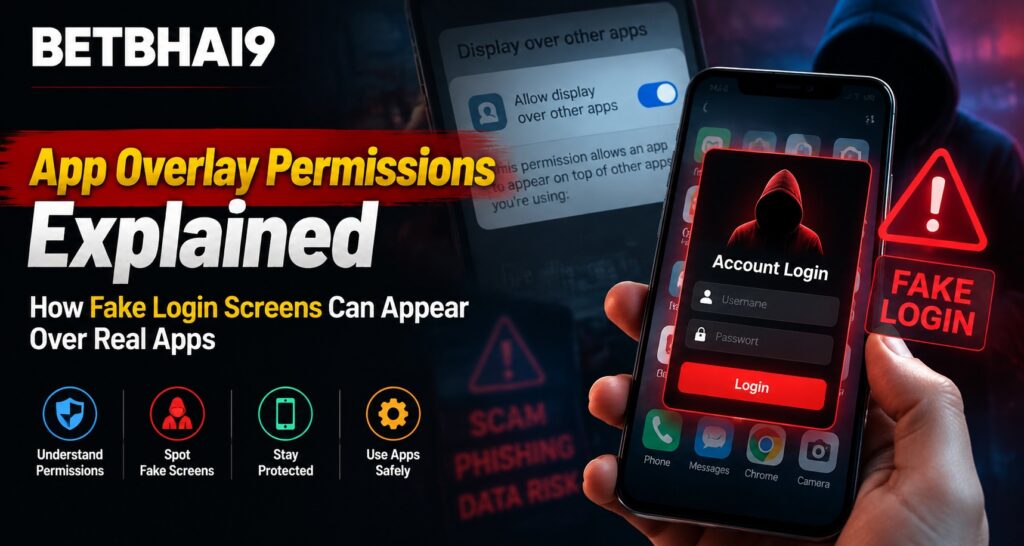
Mobile security has become increasingly important as users manage accounts, payments, and personal information through smartphone applications. One security concern that users should understand is app overlay permission, a feature that allows one application to display content over another app. On Betbhai9, users should be aware of how overlay permissions work and why fake login screens can sometimes create security risks on mobile devices.
Understanding this feature helps users recognize suspicious behavior and take better precautions when using digital services.
What Are App Overlay Permissions?
App overlay permission allows one application to appear on top of another application that is currently open.
This feature can be used for legitimate purposes, such as:
- Chat bubbles
- Screen filters
- Accessibility tools
- Floating controls
- Notification features
However, the same permission can also be misused by harmful applications attempting to display misleading screens.
After completing a Betbhai9 Login, users should always ensure they are interacting with the correct application interface and not an unexpected screen placed over it.
How Fake Login Screens Can Appear
A fake login screen is a type of deceptive interface designed to look like a genuine login page.
An application with overlay permission may display a screen above another app and attempt to collect information entered by users.
These fake screens may imitate:
- Login pages
- Account verification forms
- Payment confirmations
- Security checks
The purpose is often to trick users into entering sensitive information without realizing the screen is not genuine.
Why Overlay Permissions Can Create Security Risks
Overlay permissions are powerful because they allow an app to control what appears visually on top of another application.
Potential risks include:
- Fake password prompts
- Misleading payment screens
- Unauthorized information collection
- Confusion between real and fake interfaces
Users should carefully review which apps have overlay access on their devices.
How to Check Overlay Permissions on Android
Android devices allow users to manage which applications can display over other apps.
General steps may include:
- Open device settings
- Go to application permissions
- Find special app access settings
- Review “Display over other apps” permissions
- Disable access for unknown or unnecessary apps
Users using the Betbhai9 App should keep only trusted applications with special permissions enabled.
Warning Signs of a Fake Login Screen
Users can look for several signs that a login screen may not be genuine.
Possible warning signs include:
- Unexpected login requests
- Screens appearing suddenly
- Poor design quality
- Unusual spelling mistakes
- Requests for unnecessary information
- Prompts appearing outside the normal app flow
If a login screen appears unexpectedly, users should close it and reopen the official application.
Information Users Should Never Share
Regardless of the situation, users should protect sensitive information.
Never share:
- Passwords
- OTP codes
- PIN numbers
- Banking credentials
- Security verification codes
Legitimate platforms should not require users to provide confidential authentication details through suspicious pop-ups.
How Users Can Protect Their Mobile Accounts
Good mobile security habits can reduce the risk of fake overlays.
Helpful practices include:
- Install apps only from trusted sources
- Review app permissions regularly
- Remove unused applications
- Keep operating systems updated
- Avoid unknown links
- Use device security features
These steps Help create a safer mobile environment.
Why Updating Apps and Devices Matters
Security updates often include improvements that help protect against known threats.
Users should regularly update:
- Mobile operating systems
- Applications
- Security tools
- Browser software
Outdated software may contain weaknesses that attackers can exploit.
Understanding Permission Requests Before Installation
Many users accept permissions without checking what access an app is requesting.
Before installing an application, users should consider:
- Why the permission is needed
- Whether the request matches the app’s purpose
- Whether the developer is trustworthy
An app requesting unnecessary access should be treated carefully.
How Fake Screens Differ From Real App Interfaces
A genuine application usually follows a consistent design and user flow.
Users should notice:
Normal App Behavior
- Familiar navigation
- Expected login process
- Consistent branding
- Standard security steps
Suspicious Behavior
- Unexpected redirects
- Strange pop-ups
- Sudden login requests
- Requests outside normal app actions
Recognizing these differences can help users avoid mistakes.
Protecting Account Access on Mobile Devices
Account protection requires more than just strong passwords.
Users should also:
- Monitor account activity
- Avoid sharing login details
- Use secure networks
- Review connected devices
- Enable available security options
Users managing a Betbhai9 ID should maintain good security practices to reduce account-related risks.
Common Mistakes That Increase Security Risks
Some actions can make users more vulnerable.
Common mistakes include:
- Installing unknown APK files
- Granting unnecessary permissions
- Clicking suspicious messages
- Ignoring security warnings
- Using outdated applications
Careful digital habits can prevent many security issues.
Why Permission Awareness Matters
Mobile applications depend on permissions to provide features, but users should understand what access they are allowing.
Being aware of permissions helps users:
- Identify unusual behavior
- Protect personal information
- Control app access
- Make safer decisions
For users following Betbhai9 Club or Betbhai9 Com information, maintaining device security awareness is an important part of safe digital usage.
Conclusion
App overlay permissions are useful features that allow applications to display content over other apps, but they can also create risks if misused. Fake login screens can appear convincing, making it important for users to understand how overlays work and how to recognize suspicious behavior.
By reviewing permissions, avoiding unknown applications, keeping devices updated, and protecting sensitive information, users can reduce security risks and maintain safer mobile account access.
FAQs
What is app overlay permission?
App overlay permission allows an application to display content over other applications currently open on a device.
Can overlay permissions be dangerous?
Yes. While useful for legitimate features, they can be misused to display fake screens or misleading prompts.
How can I check which apps have overlay access?
You can review overlay permissions through your device settings under special app access options.
Should I enter my password into an unexpected pop-up screen?
No. Close the screen and open the official application directly.
What information should never be shared through login screens?
Passwords, OTPs, PINs, and security credentials should always remain private.
How can I improve mobile app security?
Keep apps updated, review permissions, avoid unknown downloads, and install applications only from trusted sources.