
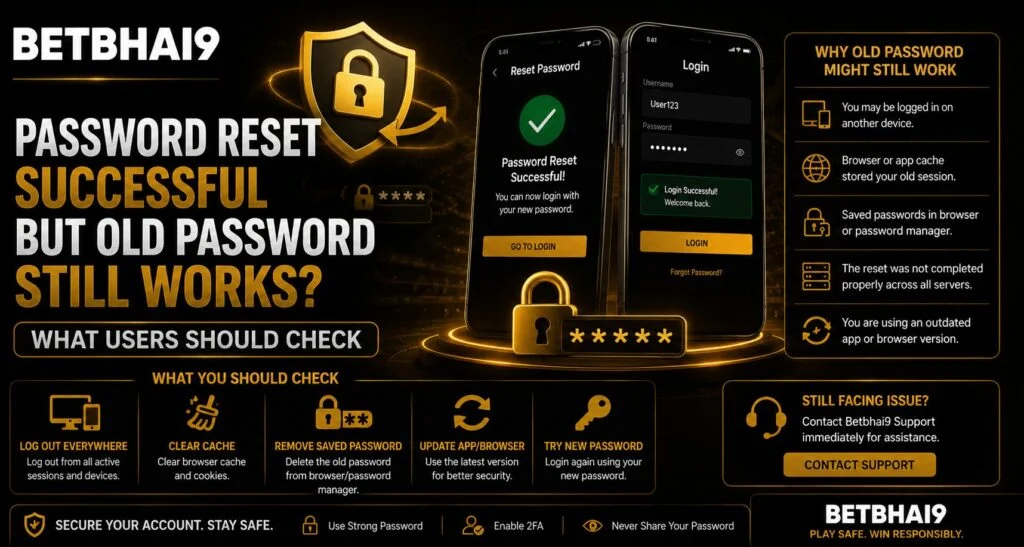
Changing an account password should normally prevent the previous password from being used again. However, users sometimes notice that an old password appears to continue working even after a successful reset. For Betbhai9 users, this situation does not always mean the password change failed. Browser sessions, saved credentials, app authentication and device caching can sometimes create confusion. Understanding what is happening can help users protect their accounts and avoid unnecessary password changes.
Why Can an Old Password Appear to Still Work?
Several technical factors can make it seem as though the previous password remains active. Before assuming there is an account-security problem, check how and where the account is being accessed.
Common explanations include:
- An existing session has not been logged out.
- The browser automatically fills saved credentials.
- The mobile app continues using an authentication token.
- The password change has not synchronized across every active device.
- The user is testing a different account by mistake.
- Cached login information is creating misleading results.
Testing the account through a completely new session is usually the easiest way to understand the situation.
1. Check Whether You Are Still Logged In
A password reset does not always terminate every existing session immediately. If you were already signed in before changing the password, your browser or device may continue showing your account without asking for authentication again.
Instead of simply refreshing the Betbhai9 Login page, manually sign out first.
Then:
- Close the browser completely.
- Reopen it.
- Visit the login page again.
- Enter the old password manually.
- Check whether access is actually granted.
This helps distinguish an active session from a genuine password issue.
2. Test the Account in Private Browsing Mode
Browsers save cookies, sessions and autofill information. Using an incognito or private window creates a cleaner environment for testing.
Open a private window and access Betbhai9 Login without allowing the browser to automatically insert credentials.
Try the previous password first. If it fails but your normal browser still opens the account, the earlier access was probably caused by a stored session rather than the old password remaining valid.
3. Review Saved Passwords and Autofill
Password managers can cause additional confusion. You may believe you entered the old password while the browser silently replaced it with the new one.
Check your browser’s password manager and identify which credential is currently stored.
For users accessing their Betbhai9 ID from multiple devices, saved passwords may also differ between a laptop, smartphone and tablet.
It is useful to:
- Remove outdated saved passwords.
- Save only the latest credential.
- Avoid keeping multiple versions of the same password.
- Verify the username associated with each saved credential.
4. Sign Out From Other Devices
Changing a password and ending existing sessions are sometimes separate security actions. An account that remains open on another smartphone does not necessarily mean the old password can still be used.
If the Betbhai9 App provides a device or session-management section, review it for unfamiliar or outdated sessions.
Log out of devices you no longer use, particularly:
- Shared smartphones
- Public computers
- Old mobile devices
- Browsers used at work or elsewhere
After changing credentials, reopening the Betbhai9 App and signing in again with the new password can also help ensure that the latest authentication details are being used.
5. Make Sure You Reset the Correct Account
Users who maintain more than one account or login identity may sometimes reset one credential and test another.
Confirm that the username, registered number or Betbhai9 ID used during the password reset matches the account being tested.
A simple mismatch can make it appear that the reset was unsuccessful.
6. Avoid Repeated Password Changes
If the first reset was successful, repeatedly changing the password can create more confusion. Instead, verify the account systematically.
Use the Betbhai9 Club account-access process and test only after logging out completely. A new password should also be strong and different from previously used passwords.
Good password practices include:
- Use a unique password for the account.
- Avoid names, birthdays or common phrases.
- Combine letters, numbers and symbols.
- Never share passwords through messages.
- Avoid reusing passwords from other websites.
Users checking Betbhai9 Club services should also avoid saving credentials on shared devices.
7. Contact Support if the Old Password Truly Works
If you have completely signed out, opened a fresh browser session and manually confirmed that both the new and previous passwords can authenticate the same account, contact official support.
When reporting the issue, explain:
- When the password was changed
- Which device you tested
- Whether both passwords worked in a fresh session
- Whether other devices remain logged in
Avoid sending your actual password to anyone.
Users accessing Betbhai9 Com should rely only on official account-support channels when dealing with credential problems.
Conclusion
An old password appearing to work after a reset is often caused by an active login session, saved credentials or cached authentication rather than a failed password update. The safest approach is to log out everywhere, test through a private browser window, remove outdated saved passwords and review active devices.
If the previous password still genuinely authenticates the account after these checks, Betbhai9 users should stop further login testing and contact support so the account can be reviewed securely.
FAQs
Why am I still logged in after changing my password?
Existing sessions may remain active even though the password itself has changed. Sign out manually and test again from a fresh session.
Should changing my password log out every device?
Not always. Some platforms treat password changes and session termination separately.
Can browser autofill make an old password look like it still works?
Yes. A browser or password manager may automatically replace an outdated password with the newly saved credential.
Should I change my password again immediately?
Usually not. First verify the account through a private browser window and check active sessions before performing another reset.
What should I do if both passwords genuinely work?
Stop testing the account repeatedly and contact the official support channel through Betbhai9 Com for assistance.


