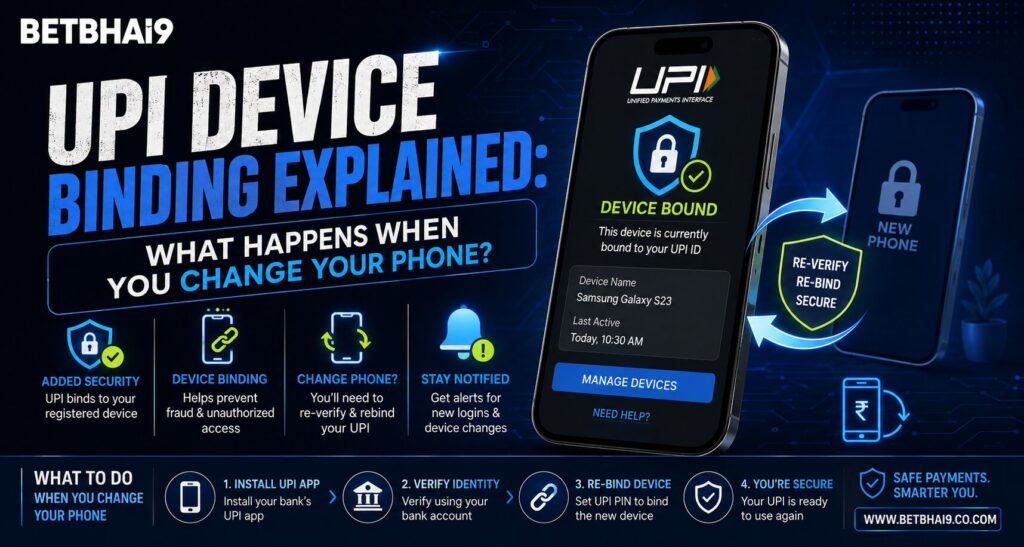
Changing your smartphone does not mean your bank account or UPI facility disappears, but the new device normally needs to be verified before payments work again. For users managing payments alongside Betbhai9, understanding UPI device binding can help avoid confusion when moving from an old Android or iPhone to a new one. NPCI describes device binding as a first factor of authentication used when a UPI app onboards a customer and creates their payment profile.
What Is UPI Device Binding?
Device binding connects a UPI registration with a particular mobile device and the mobile number registered with the user’s bank.
It is an important security layer because possession of login details alone should not be enough to activate UPI on an unrelated phone. During setup, UPI applications typically verify the mobile number through an SMS sent from the device.
Google Pay’s current guidance says the SIM used during verification should correspond to the mobile number linked with the bank account. On dual-SIM phones, the bank-linked SIM should also be selected correctly for outgoing SMS.
For someone completing Betbhai9 Login after changing phones, this UPI verification process is separate from the website account login itself.
What Happens When You Move UPI to a New Phone?
Installing your UPI application on a replacement phone does not normally make the old device binding automatically carry over.
The new phone generally needs to complete mobile-number verification again. Once verification succeeds, the UPI app can retrieve eligible bank accounts associated with that registered mobile number. Google Pay, for example, states that bank accounts associated with the verified phone number are automatically retrieved during the bank-account setup process.
The usual flow is:
- Insert or activate the bank-registered SIM in the new phone.
- Install the recognised UPI application.
- Verify the mobile number through SMS.
- Select or restore the relevant bank account.
- Complete any additional authentication requested.
- Confirm that payments work before relying on the new device.
A Betbhai9 App user should complete these steps only inside the recognised payment application rather than responding to messages asking for verification codes.
Does Your UPI PIN Change With the Phone?
Changing the physical phone does not necessarily mean you must create a completely new UPI PIN.
When an existing bank account is added in Google Pay, its official guidance says users who already have a UPI PIN may be asked to enter that existing PIN. Users without one can create it, while forgotten PINs follow a separate reset procedure.
This distinction is important for Betbhai9 ID users:
- Phone screen PIN is not the UPI PIN.
- App login credentials are not the UPI PIN.
- OTP verification is not the UPI PIN.
- A UPI PIN should only be entered inside the payment-authorisation screen.
Never send your UPI PIN through chat or to someone claiming to help with device activation.
What If You Change the SIM but Keep the Same Number?
If you replace a damaged or lost SIM while retaining the same mobile number, the payment app may still require fresh device or SMS verification.
PhonePe advises that UPI applications use device-binding protections and may require re-verification when device or SIM circumstances change.
For Betbhai9 Club readers, the safest approach is to wait until the replacement SIM is fully activated and capable of sending SMS before trying to register UPI again.
If SMS verification repeatedly fails, check:
- Whether the correct SIM is active
- Whether SMS service is working
- Whether the bank-linked number is being used
- Whether the correct SIM is selected for outgoing SMS
- Whether the UPI app and phone software are updated
Google Pay lists these checks among its current troubleshooting guidance.
What If Your Mobile Number Also Changes?
This is more important than simply changing the handset.
UPI bank-account discovery depends on the mobile number registered with the bank. If you move to a completely new phone number, that number generally needs to be updated with the bank before it can be used for UPI onboarding.
Google Pay separately provides a process for changing the phone number associated with its service and requires verification of the new number.
For Betbhai9 Com users, changing a payment-linked mobile number should therefore be treated as a banking change, not merely a phone-setting change.
What About UPI Lite?
UPI Lite may require additional attention when devices or mobile numbers change.
Google Pay currently provides a reactivation process for UPI Lite after situations such as uninstalling and reinstalling the application. NPCI also advises users to disable a UPI Lite account before changing the mobile number associated with UPI.
A Betbhai9 App user who uses UPI Lite should therefore review the payment app’s specific instructions before disposing of the old device.
Security Checklist Before Switching Phones
Before moving to a new device:
- Back up essential non-sensitive information.
- Keep the bank-registered SIM available.
- Install payment apps only from recognised sources.
- Never share OTPs or UPI PINs.
- Remove payment access from a lost device where possible.
- Block a lost SIM through the telecom provider.
- Review recent bank transactions after migration.
PhonePe recommends blocking the SIM and notifying relevant financial services quickly when a device is lost.
Conclusion
UPI device binding is designed to make a payment profile dependent on more than a username or password. When a Betbhai9 user changes phones, the new device usually needs fresh mobile-number verification before linked bank accounts can be used again.
For Betbhai9 Com readers, the key distinction is simple: changing the handset usually means re-verifying the device, while changing the registered mobile number may also require updating bank records. Keep the bank-linked SIM active, follow the recognised UPI app’s instructions and never share OTPs or UPI PINs.
FAQs
Will my UPI stop working when I buy a new phone?
It may temporarily require re-registration or device verification on the new phone before payments can resume.
Do I need a new UPI PIN after changing phones?
Not necessarily. Some apps allow an existing UPI PIN to continue after the bank account is verified on the new device.
Why is SMS verification required on the new device?
UPI apps use the bank-linked mobile number as part of onboarding and device verification.
What should I check if verification fails after Betbhai9 Login?
Check that the bank-linked SIM is active, can send SMS and is selected as the correct outgoing-SMS SIM, especially on dual-SIM phones.
Will changing my phone number affect UPI?
Yes. If the number itself changes, the new number generally needs to match the mobile number associated with the bank account before UPI bank-account discovery and verification can work correctly.